
What Is a Tier List Maker
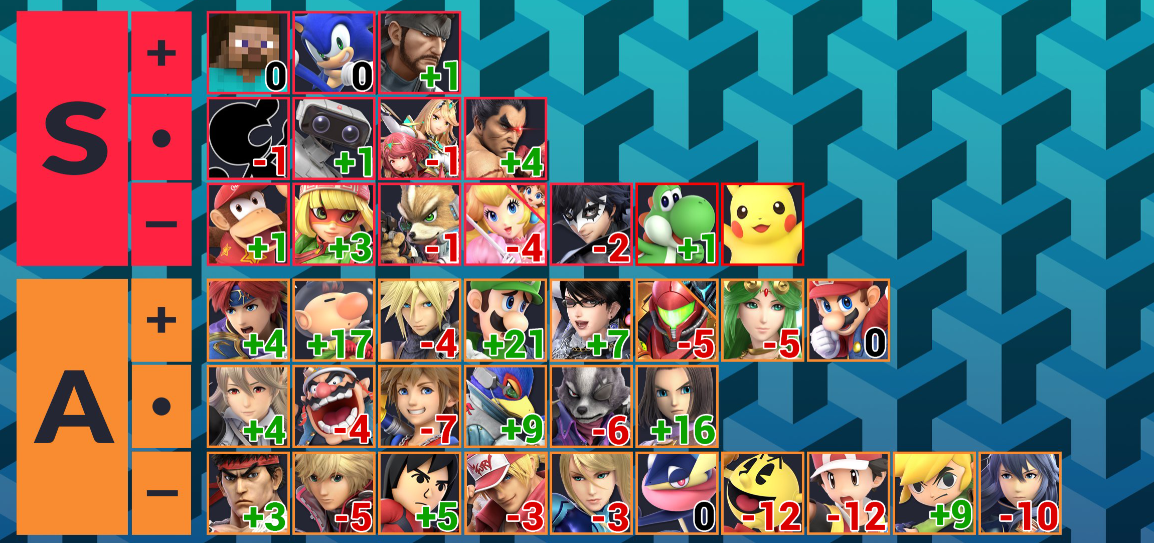
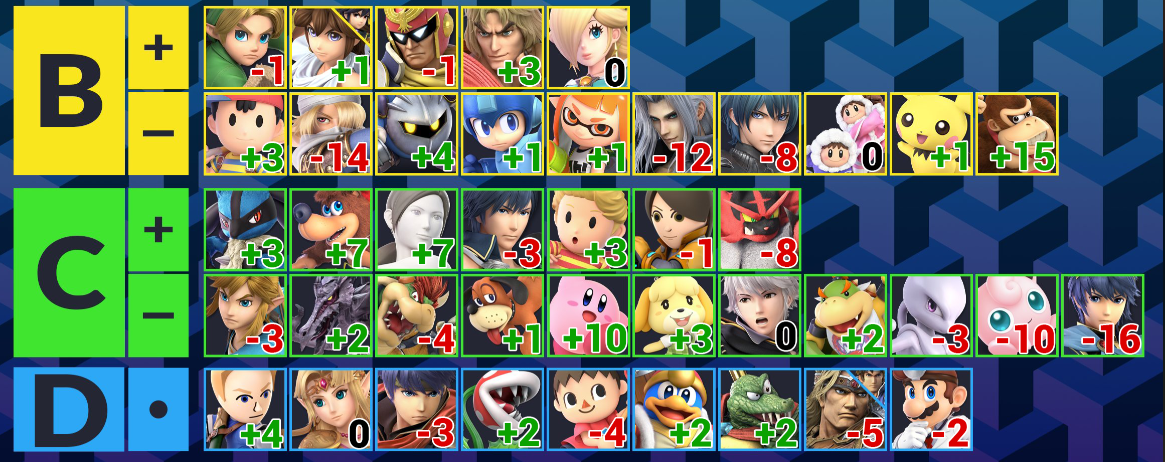
Tier List Maker is an online tool that allows users to visually rank items by organizing them into different tiers such as S, A, B, C, D, or F. With this tool, people can quickly create structured rankings for games, anime characters, movies, foods, sports teams, and almost any topic they enjoy. Instead of simple numbered lists, Tier List Maker uses color-coded tiers to make comparisons easier and more visually engaging.
Videos and Images of Tier List Maker

Why a Tier List Maker Is So Popular
A detailed introduction about Tier List Maker
Customize tier labels and colors in Tier List Maker
Another powerful feature of Tier List Maker is customization. The tool allows users to rename tiers, adjust colors, and create their own ranking structure. Instead of only using S, A, B, C tiers, users can include labels like ‘God Tier,’ 'Average,' or 'Never Again.'This level of customization makes the tool extremely flexible. Whether you are ranking anime characters, snacks, or game strategies, it lets you tailor the layout to match your style.
Tier List Maker lets you upload images for visual rankings
A modern Tier List Maker also allows users to upload images and organize them visually. Using this tool, you can add pictures of characters, products, or items and instantly see how they compare.This visual approach is one of the reasons it has become so popular on YouTube, TikTok, and streaming platforms. Content creators often use this tool to present rankings that are easy for viewers to understand.
Share instantly with social media from Tier List Maker
A great Tier List Maker also makes sharing easy. After creating a ranking with the tool, users can generate a shareable link or download the image to post on social media.This sharing capability helps it become a tool for conversation and engagement. Fans often create tier lists and then invite others to debate their rankings.
Tier List Maker offers drag-and-drop ranking
One of the biggest advantages of Tier List Maker is the intuitive drag-and-drop ranking system. With this tool, users can easily move items between tiers by simply dragging them with a mouse or touchscreen. This simple interface makes it accessible to beginners while still powerful enough for experienced creators.Because the interface is visual and interactive, users can quickly reorganize rankings until they feel satisfied with the final result. This makes Tier List Maker perfect for discussions, debates, and content creation.
How to Use a Tier List Maker
A detailed features about Tier List Maker
Start by choosing items in Tier List Maker
The first step in using a Tier List Maker is selecting the items you want to rank. These items can be images, text labels, or both depending on the tool you use. Choosing interesting items is important because the tool works best when the rankings encourage discussion or comparison.
Create your tier levels within Tier List Maker
Next, configure the tiers inside the Tier List Maker. Most tools include default tiers like S, A, B, C, and D, but you can customize them as needed. Adjusting labels and colors within the tool makes your ranking clearer and easier to read.
Drag items into rankings using Tier List Maker
After setting up tiers, you can start organizing items in the Tier List Maker. Simply drag items into the tier where they belong. This step is where the tool becomes interactive, allowing you to experiment with different rankings until the list reflects your opinion.
Share or download your results from Tier List Maker
Once your ranking is finished, the Tier List Maker allows you to export or share your work. Most tools provide a download option or a shareable link. Sharing your results created with this tool is a great way to spark conversations and compare opinions with friends or online communities.
Common Questions About Tier List Maker
Here are some of the most frequently asked questions.
⭐⭐⭐⭐⭐ Latest Tier Lists
More articles →Cookie Run Crumble Tier List & Best Characters Guide
→Unsure who to upgrade? Check our updated Cookie Run Crumble tier list to discover top-tier Cookies, team synergies, and smart resource investment tips.
Anime Expeditions Tier List-Best Units,Rankings & Meta Guide
→Check the latest Anime Expeditions tier list and discover the best Units. Find the strongest characters for Story Mode, Raids and endgame progression.
Pokemon Champions Tier List 2026 – Best Pokémon Rankings
→Explore the latest Pokemon Champions Tier List for 2026. Discover the best S, A, B, C, and D tier Pokémon, meta rankings, and top picks for ranked battles.